
Models covered
Parts
Parts and accessories for Levoit Core 200S
Compare the documented references, including HEACAFLVNUK0050. Open the part details to check the complete model code, then view the retailer’s offer.
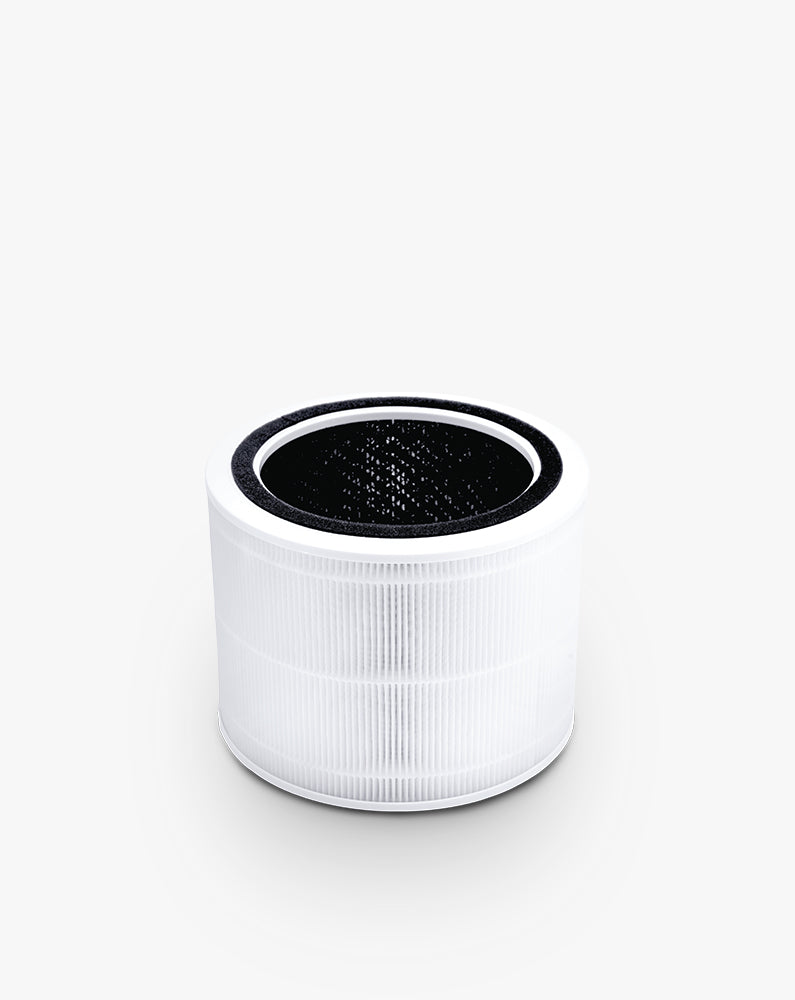
Core 200S replacement filter for the UK
Official Levoit HEACAFLVNUK0050 replacement filter for UK Core 200S purifiers. Levoit identifies the Core 200S family directly and describes a three-stage filter with a washable-free pre-filter, main filter and activated carbon.
The UK Core 200S can show maintenance information on the purifier and through VeSync, so a reminder that remains after a filter change does not automatically mean the new filter is wrong. First confirm the physical match. Levoit UK lists HEACAFLVNUK0050 for the Core 200S family, including the Core 200S-P naming used on its filter page.
With the unit unplugged, remove the lower cover, take the new filter completely out of its plastic bag and make sure it sits level. Restore the cover and keep the circular intake clear. Then identify where the reminder remains: on the appliance, inside VeSync, or both. Reset the relevant indicator once after the completed replacement.
If VeSync cannot see the purifier or no longer controls fan speed, treat that as a connection problem rather than evidence of filter incompatibility. Reconnecting the purifier, phone and local network should not require buying another filter. Conversely, clearing an app message cannot correct a wrapped filter, blocked intake or incorrectly closed cover. Preserve those two fault paths so that a simple reminder does not turn into an unnecessary purchase.
Before checking Levoit Core 200S
- Unplug before opening the filter compartment and keep moisture away from the filter, motor and mains cable.
What this symptom can mean on Levoit Core 200S
4 checks for Levoit Core 200S, starting with Confirm the UK reference
- Confirm the UK reference
Read Core 200S on the appliance and HEACAFLVNUK0050 on the official product record.
- Check the physical replacement
Unplug, remove all packaging, seat the filter and lock the cover before restoring power.
- Locate the remaining reminder
Check the purifier panel and VeSync separately instead of repeatedly resetting both.
- Separate connection troubleshooting
If app controls are missing, restore connectivity while leaving the correctly fitted filter in place.
When to stop checking Levoit Core 200S
- Stop for overheating, electrical smell, damaged wiring, liquid entry or fan contact.
- Use Levoit connected-product support if VeSync remains unavailable after basic reconnection checks; do not order another filter for an app-only fault.
Next step
After checking Levoit Core 200S: repair, part or service?
Treat “Levoit Core 200S UK filter reminder stays on after change” as a condition to verify. The first of the 4 documented checks is “Confirm the UK reference”; its result guides what follows.
Finish the checks before buying
Complete the Levoit Core 200S sequence, starting at “Confirm the UK reference”. When the symptom clears without a remaining alert, no replacement is indicated.
Arrange a diagnosis if a stop condition appears
Do not condemn Levoit Core 200S from “Levoit Core 200S UK filter reminder stays on after change” alone. Stop at the warnings above and let a qualified diagnosis establish whether repair remains safe and proportionate.
Sources used
- Levoit — Levoit UK documents the Core 200S smart purifier, VeSync functions and filter status control.
- Levoit — Levoit UK explicitly connects HEACAFLVNUK0050 to the Core 200S family.
Last checked: 1 September 2026