
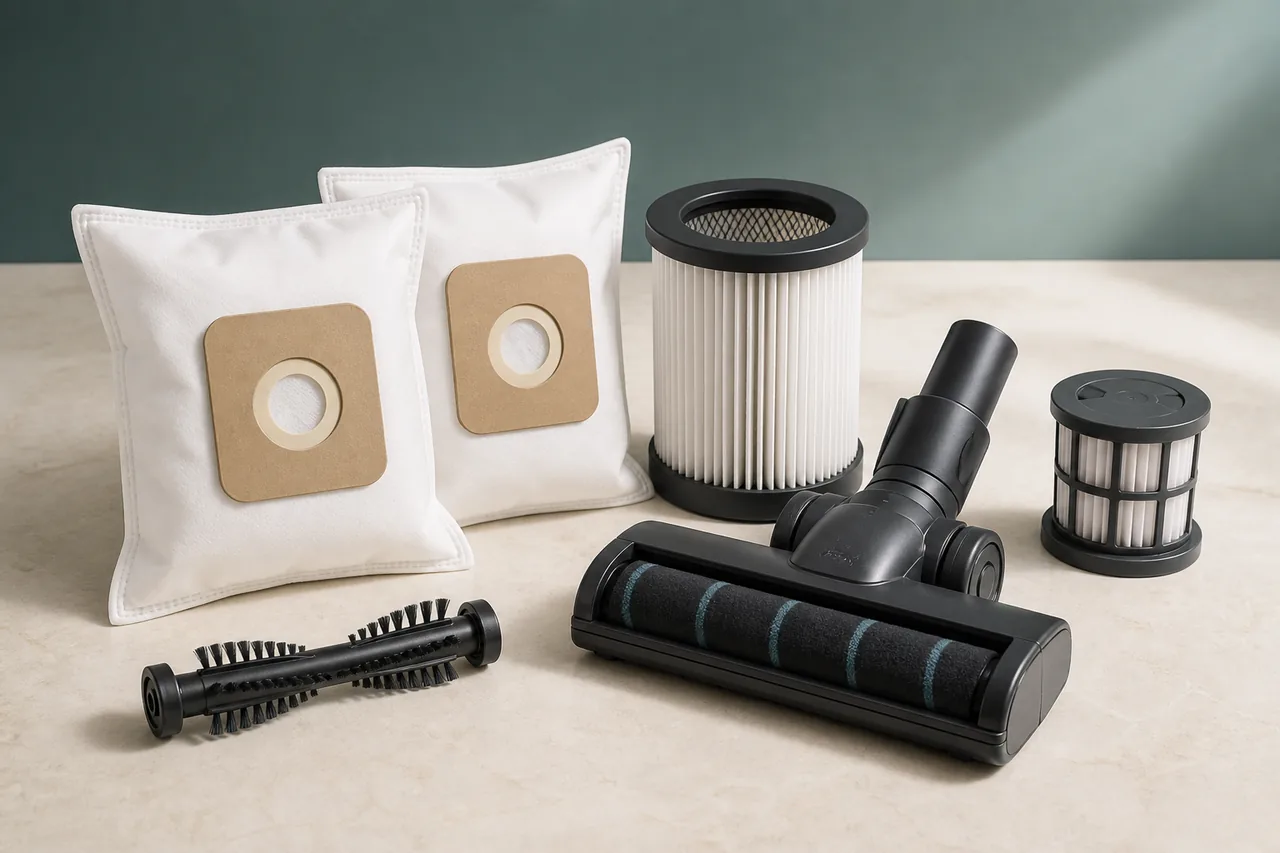
Parts
Parts and accessories for Dyson Vacuum cleaner
Compare the documented references, including 966489-12. Open the part details to check the complete model code, then view the retailer’s offer.
Fluffy cleaner head for Cyclone V10 Total Clean
Genuine hard-floor cleaner head confirmed for Dyson Cyclone V10 Total Clean SKU 443095-01 in France.
A Dyson brush bar that stops while suction remains steady usually directs attention to the cleaner head rather than to the main airflow path. Hair, pet fur, thread and fibres can wind tightly around the roller, especially beside its ends, while grit can accumulate in the neck or around small support wheels. Dyson describes this as a common maintenance fault and requires the machine to be switched off and unplugged before a blockage is touched.
Start by separating two symptoms that can feel similar during use. If the complete vacuum pulses, cuts out or loses airflow through every attachment, the filter, bin and airways need their own diagnosis. If airflow is normal through the wand or a non-powered tool and only the floor head has stopped agitating the carpet, focus on the head, its electrical connection and its roller. This comparison prevents an unrelated filter purchase and avoids condemning the main motor because one powered accessory has jammed.
Disconnect the charger, release the trigger and remove the cleaner head from the wand. On a stable, well-lit surface, inspect the full width of the brush bar, both ends, the head neck and the accessible wheels. Loose material can be drawn away gently, but the contacts must not be scraped or used as leverage. A thin strand may be hard to see yet tight enough to stop the bar, so rotate only as far as the head’s design permits and look along the roller rather than checking the centre alone.
Dyson cleaner heads do not all open in the same way. V8, V10 and V11 families can use different locks, end caps and part references, and even machines with a similar product name may have another head. Identify the exact vacuum and the cleaner-head design before using a coin slot or release catch. If that version is intended to have a removable roller, follow its own Dyson instructions, clear the accessible housing and lock the end cap completely before reconnecting. Never force a latch that does not match what is in front of you.
The final test should be brief and informative. Refit the head until the connection is secure, run the machine in its normal mode and watch whether the roller starts smoothly without catching, grinding or stopping again. Normal rotation after debris removal confirms a maintenance blockage. A roller that turns freely by hand while disconnected but remains still under power can indicate a connection, contact or internal head fault. A split roller, heat mark, burnt smell, damaged pin or repeated immediate stop is not solved by further cleaning.
Before ordering a replacement, compare the complete machine designation and the part number of the existing head with a documented compatibility. Visual resemblance is not proof of interchangeability. If the head needs opening beyond the user-removable roller, if electrical damage is visible or if the bar still will not run after the safe cleaning route, stop and use Dyson’s exact-model support.
When choosing a replacement head after these checks, start with the vacuum’s full code. The matches shown in this guide distinguish Fluffy heads 966489-11, 966489-12 and 966489-15; these are not three names for the same part. Open the page associated with your model to check the complete head and the offer contents. A listing for a brush bar alone is different from a full cleaner head. If the complete vacuum is pulsing, use the separate airflow guide; a stationary brush with steady suction is a different symptom.
Before checking Dyson Vacuum cleaner
- The vacuum must be switched off and disconnected before a blockage is removed; never place fingers near the brush bar while the machine can start.
What this symptom can mean on Dyson Vacuum cleaner
4 checks for Dyson Vacuum cleaner, starting with Disconnect the cleaner head
- Disconnect the cleaner head
Release the trigger, disconnect the charger and remove the cleaner head from the wand. Place it upside down on a stable, well-lit surface.
- Inspect the roller and neck
Look along the full brush bar, around both ends and inside the head neck. Gently pull away loose hair and fibres without touching or levering the electrical contacts.
- Use the exact end-cap method
Identify the cleaner-head model and follow its Dyson instructions. If its brush bar is designed to come out, unlock the end cap, lift out the bar and clear the accessible housing.
- Secure and test the head
Refit the brush bar and close the end cap completely before reconnecting the head. Test briefly and stop immediately if the bar catches, grinds or remains stationary.
Expected result
After reassembly, the brush bar should start without scraping and continue to rotate during a short test. If suction is normal but a clean, freely moving bar still receives no drive, stop there and identify the exact cleaner-head reference before repair or replacement.
When to stop checking Dyson Vacuum cleaner
- Do not force an end cap that will not release. Stop for a cracked or bent bar, damaged housing, wet contacts, burnt pins, grinding noise or an electrical smell.
- If the clean brush bar turns freely by hand but still does not run when securely fitted, use Dyson’s exact-machine diagnostic rather than opening the motorised head.
Next step
After checking Dyson Vacuum cleaner: repair, part or service?
Treat “Dyson V8, V10 or V11 brush bar not spinning: what to check” as a condition to verify. The first of the 4 documented checks is “Disconnect the cleaner head”; its result guides what follows.
Finish the checks before buying
Complete the Dyson Vacuum cleaner sequence, starting at “Disconnect the cleaner head”. When the symptom clears without a remaining alert, no replacement is indicated.
Arrange a diagnosis if a stop condition appears
Do not condemn Dyson Vacuum cleaner from “Dyson V8, V10 or V11 brush bar not spinning: what to check” alone. Stop at the warnings above and let a qualified diagnosis establish whether repair remains safe and proportionate.
Sources used
- Dyson — Dyson identifies hair and debris as common causes of a jammed brush bar and requires the machine to be switched off and unplugged before maintenance.
Last checked: 2 September 2026